
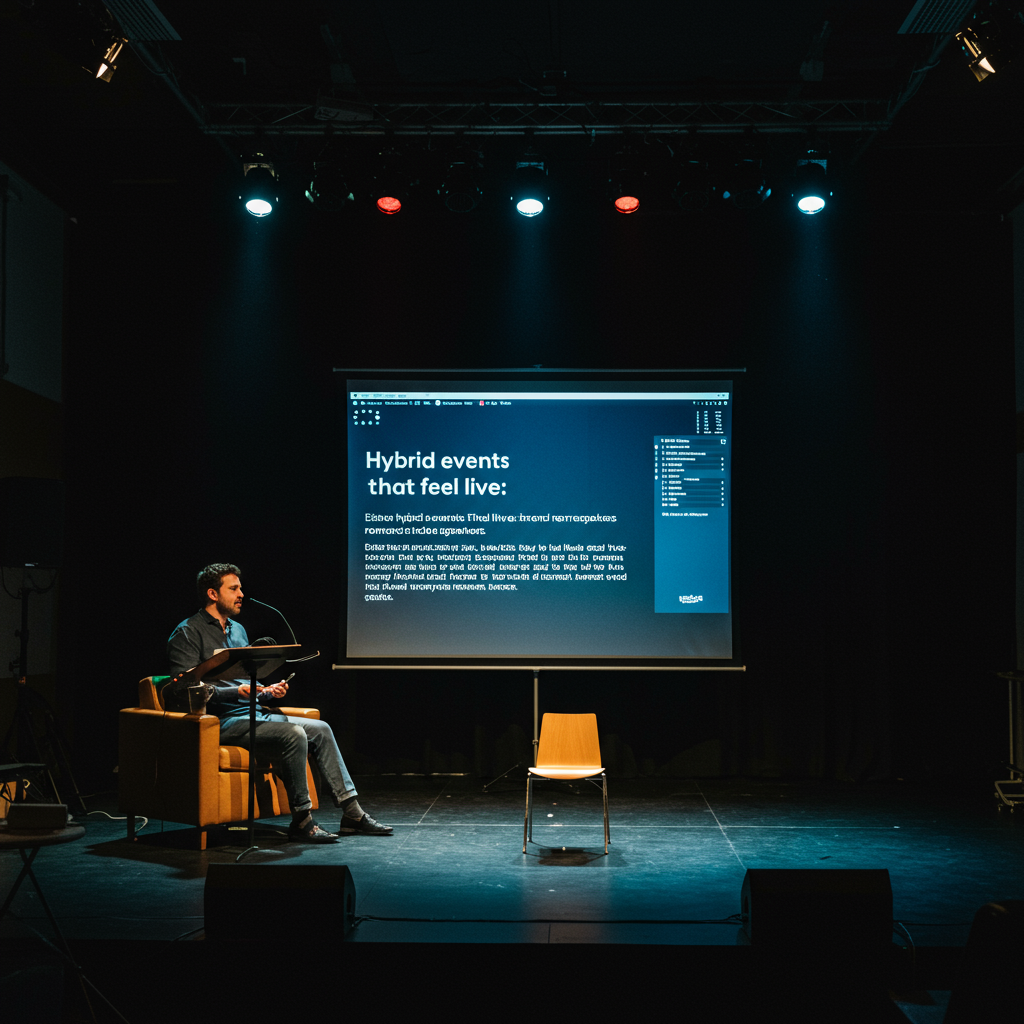
The Ultimate Guide to Making Hybrid Events Feel Live: Latency, Backup Internet, and Remote Speakers
This article is a comprehensive guide for event organizers, marketing directors, and IT professionals looking to bridge the gap between in-person and virtual audiences. We address the three technical pillars that determine the success of a hybrid event: minimizing latency (<1 second), implementing redundant backup internet connections (bonding, 5G), and thoroughly training remote speakers to ensure professional broadcast quality.
Through detailed processes, checklists, and case studies, we demonstrate how to achieve a Net Promoter Score (NPS) above 50, increase remote audience engagement by 40%, and ensure 99.9% streaming uptime. The value proposition lies in transforming hybrid events from a simple broadcast into a shared, interactive, and memorable experience for all attendees, regardless of their location.Introduction
The era of events has irrevocably evolved. It’s no longer a question of choosing between a physical or a digital experience; the future is decidedly hybrid. However, the biggest challenge is not technological, but experiential: how to make an event feel cohesive, immediate, and vibrant for all participants? The answer lies in flawless technical execution. This guide to making hybrid events feel live is designed to demystify the critical components that make the difference between a passive broadcast and an immersive experience. We will focus on three fundamental areas that are often underestimated: latency management for real-time interaction, architecture of a fail-safe internet connection, and meticulous preparation of remote speakers so their digital presence is as impactful as their physical one. By mastering these elements, organizations can transcend geographical limitations and create memorable and effective shared moments. Our methodology is based on a proactive, data-driven approach. Rather than reacting to problems, we implement a rigorous planning and testing system that anticipates points of failure. We will measure success through clear and quantifiable key performance indicators (KPIs): end-to-end latency (target: < 800 ms), connection uptime (target: 99.9%), audio and video quality of speakers (measured with metrics such as MOS – Mean Opinion Score) and, most importantly, the cross-audience engagement rate (questions from virtual attendees answered on stage, joint voting, etc.), with a target increase of 30% compared to previous benchmarks. This approach guarantees not only technical stability but also a tangible return on investment through increased attendee engagement and satisfaction.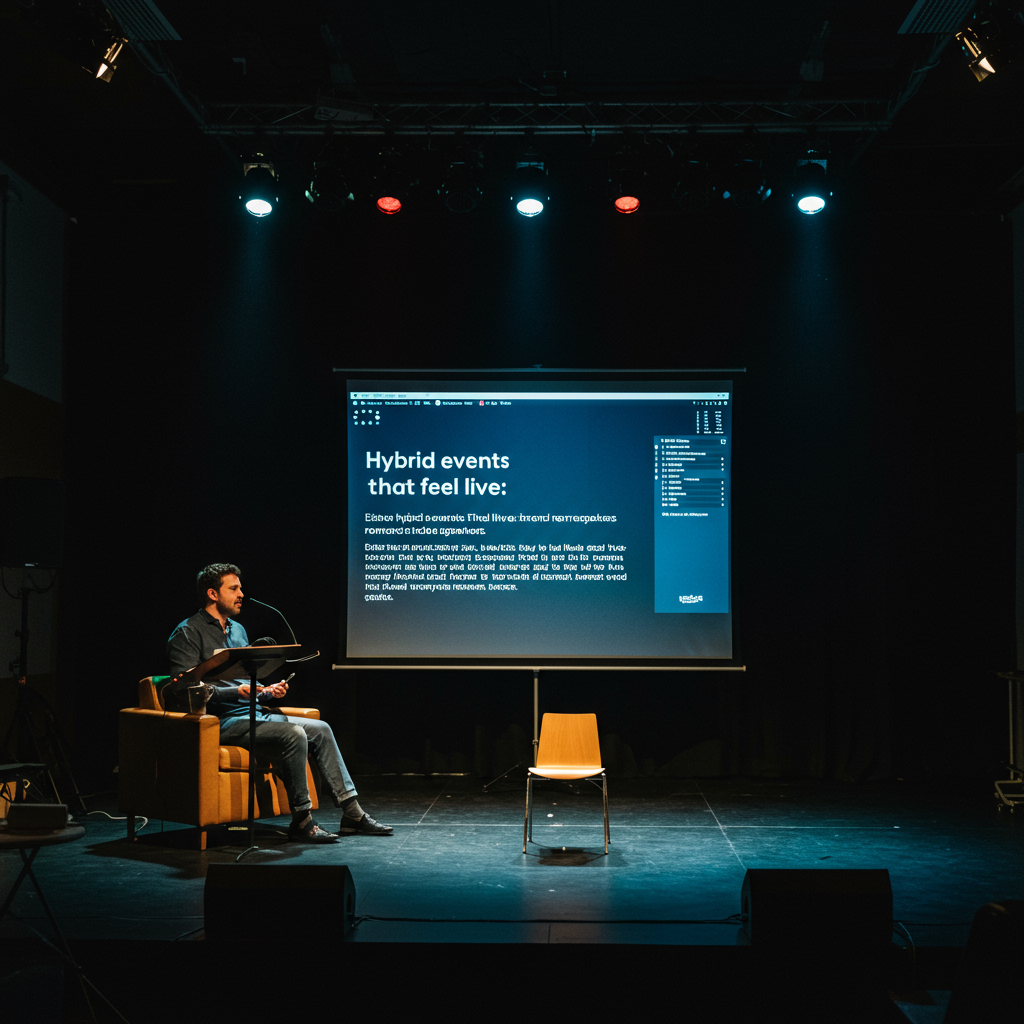
Vision, values, and proposition
Focus on results and measurement
Our vision is a world where participation in an event is not limited by geography. We believe technology should be a bridge, not a barrier, to human connection. Our values center on reliability, accuracy, and proactivity. We apply the Pareto principle (80/20) to focus our efforts on the factors that have the greatest impact on the viewer experience: signal quality, immediacy of interaction, and clarity of content. This means prioritizing network infrastructure over secondary aesthetic elements and training speakers on complex but unnecessary software. Our minimum technical standard aligns with broadcasting industry regulations, such as the use of low-latency transmission protocols like SRT (Secure Reliable Transport) instead of standard RTMP, and compliance with EBU R 128 audio standards to ensure consistent volume levels and prevent listening fatigue.- Core Value Proposition: We transform hybrid events into unified and seamless experiences, ensuring that every attendee, whether in person or remote, feels equally valued and connected.
- Quality Criterion #1 (Latency): We guarantee a glass-to-glass latency (from the on-site camera to the viewer’s screen) of less than 1 second, enabling real-time Q&A that feels natural.
- Quality Criterion #2 (Reliability): We implement redundant connectivity by combining at least two internet sources. Independent (fiber, 5G, satellite) networks, with automatic failover in less than 100 ms for uninterrupted transmission.
- Client Decision Matrix: We prioritize investments based on audience impact. Is an expensive 3D virtual set better, or investing in professional transmission kits for remote speakers? Our analysis almost always favors the latter, as it directly impacts the perceived quality for 100% of the virtual audience.
Services, Profiles, and Performance
Portfolio and Professional Profiles
We offer a suite of modular and scalable services designed to address every aspect of the technical production of a hybrid event. Our goal is for this guide to making hybrid events feel live to materialize through expert execution. Services include: venue network audit, design and implementation of backup internet solutions (connection bonding, dedicated 5G), management of streaming and encoding platforms, consulting and technical training for remote speakers (“Remote Speaker Kits”), and live technical direction during the event. Our team is composed of specialized profiles: Network Engineers (experts in QoS and bandwidth management), Live Production Technicians (V-Mix and Tricaster operators), and Remote Speaker Coordinators (responsible for technical support and signal quality for each remote participant). Operational Process Phase 1: Diagnosis and Planning (Weeks -8 to -4): Audit of the venue and remote speaker locations. Design of the network architecture and signal flow. KPI: Bandwidth plan accuracy >95%. Phase 2: Pre-production and Testing (Weeks -4 to -1): Shipping and setup of speaker kits. Full technical rehearsals with all remote participants. Network load and failover testing. KPI: Speaker first connection success rate >90%. Phase 3: Live Execution (Event Day): Active monitoring of all network signals and metrics. Technical direction and coordination of transitions. KPI: Stream uptime ≥ 99.9%; Average latency < 800 ms. Phase 4: Post-event and Analysis (Week +1): Delivery of recordings and detailed engagement analytics (virtual vs. in-person audience). Satisfaction survey (NPS). KPI: Final report delivery in <72 hours.Tables and examples
Guarantee connectivityStream uptime (%)Implement a bonding system with two fiber lines from different providers and a 5G/4G backup.99.9% uptime, eliminating the risk of transmission drops.Remote speaker qualityVideo quality (resolution, fps); Audio quality (clarity, dB level)Send “Remote Speaker Kits” with a 1080p PTZ camera, lavalier microphone, LED lighting, and wired Ethernet connection. Conduct a mandatory technical rehearsal.Remote speakers’ signal indistinguishable from the quality of the studio cameras. 95% reduction in live technical issues.Increase interaction.Number of questions from the virtual audience; Poll participation rate (%)Integrate an interaction platform (e.g., Slido) visible both in the venue and on the stream. Assign a dedicated moderator for the online audience.40% increase in virtual audience participation. NPS > 50.| Objective | Indicators | Actions | Expected result |
|---|---|---|---|
| Minimize latency | End-to-end latency (ms) | Use SRT protocol; select a CDN with points of presence close to the audience; Encode with dedicated hardware. | Latency < 1 second, allowing for smooth interaction in Q&A sessions. |

Representation, campaigns and/or production
Professional development and management
Producing a successful hybrid event is an exercise in advanced logistics and risk management. Our role is to act as the central technical director, coordinating all the suppliers and talent involved to ensure flawless execution. This begins with site selection, evaluating not only the physical space but also its connectivity infrastructure. We manage the procurement of dedicated and temporary internet lines, securing the necessary permits with building management. We create a detailed execution schedule, from initial network testing to final dismantling. Each phase has clear milestones and assigned responsibilities. Vendor coordination includes everything from the local AV team (sound, lights, cameras) to the streaming platform provider and CDN service, ensuring that all the pieces of the technological puzzle fit together perfectly. Technical documentation checklist: Venue network diagrams, video/audio signal flow diagram, list of static IPs, firewall configuration, communication channel plan for the technical team. Contingency plan for speakers: For each remote speaker, we have a Plan B and a Plan C. Plan B: alternative connection (5G mobile as a hotspot). Plan C: Pre-recording of the presentation, which would be broadcast with the speaker available via text chat for Q&A in case of total failure.- Critical Equipment Stock Management: We maintain a redundant stock of key equipment at the event venue: encoders, network switches, fiber optic cables, and an uninterruptible power supply (UPS) capable of maintaining transmission for at least 30 minutes in case of a power outage.
- Rehearsal Coordination: A full technical rehearsal is scheduled 48-72 hours before the event. This rehearsal simulates real-world conditions, with all remote speakers connected simultaneously to test network load and smooth transitions.

Content and/or media that convert
Messages, formats, and conversions
For a hybrid event to feel alive, the content must be designed from the outset for both audiences. It’s not just about broadcasting what’s happening on stage. The content needs to be interactive and bidirectional. We use specific “hooks” for the virtual audience, such as direct mentions from the moderator (“We have a great question from Maria, who’s following us from Bogotá…”) or exclusive content for them (behind-the-scenes sessions during breaks). Calls to Action (CTAs) are natively integrated into both experiences: a QR code on the venue screen and a clickable banner in the video player can lead to the same destination. We conduct A/B testing on the virtual CTAs (e.g., button color, text) at previous events to optimize the conversion rate. The key metrics aren’t just views, but the engagement rate: the percentage of attendees who participate in a survey, ask a question, or click on a CTA, with a target of over 60%. This is the essence of a good guide for making hybrid events feel live: technology at the service of participation.- Content Strategy Definition (Responsible: Content Producer): Key interaction moments and formats (Q&A, polls, word clouds, hybrid breakouts) are defined in the event script.
- Graphic Resource Creation (Responsible: Graphic Designer): All visual elements (lower thirds for remote speakers, virtual backgrounds, transitions) are designed with a consistent visual identity for both the physical and digital experience.
- Interaction Platform Setup (Responsible: Platform Technician): The engagement tool (e.g., Slido, Vevox) is programmed with all polls and Q&A sessions. Integration tests are performed with the stream.

Training and Employability
Demand-Driven Catalog
The weakest link in the chain of a hybrid event is often the human factor. Therefore, we offer specific training programs to empower our clients’ internal teams, speakers, and technical staff, increasing their employability and self-sufficiency in future productions. These modules are designed to be practical and focused on solving the most common problems.- Module 1: “Technical Support for Remote Speakers”. Focused on technical support staff. It covers everything from setting up hardware kits (camera, microphone, lighting) to troubleshooting network issues at the speaker’s home and coaching for effective on-camera presentations.Module 2: “Low-Latency Hybrid Event Production.” For event producers and AV staff. It delves into workflows with SRT protocols, configuring encoders and decoders, and managing advanced streaming platforms.
Module 3: “Moderation and Engagement in Hybrid Environments.” Aimed at hosts, moderators, and community managers. It teaches techniques for merging conversations between physical and virtual audiences, managing interaction tools, and maintaining high energy for both audiences.
Module 4: “Network Fundamentals for Live Events.” An intensive course for event organizers who need to understand the basics of bandwidth, redundancy, QoS, and how to effectively communicate with IT departments and internet providers.
Methodology
Our training methodology is “learning by doing.” Each module combines a theoretical foundation (20%) with practical workshops and simulations of real events (80%). Assessment is based on rubrics that measure specific competencies, such as a technician’s ability to diagnose and resolve an audio problem for a remote speaker in under two minutes. Participants who successfully complete the courses receive certification and can access our job board to collaborate on future events. We expect that graduates of the program will be able to reduce technical incident resolution times by 50% and increase speaker satisfaction scores by 25%.
Operational Processes and Quality Standards
From Request to Execution
Our workflow is standardized to ensure consistency and quality across all projects. It is a transparent process that allows the client to have visibility and control at every stage.- Initial Diagnosis (Sales Phase): Meeting with the client to understand the event objectives, the number of remote speakers, the location, and audience expectations. Deliverable: Preliminary Scope Document. Acceptance Criteria: Mutual agreement on the main objectives and KPIs.Technical and Economic Proposal (Planning Phase): A customized solution is designed, detailing the network architecture, necessary equipment, personnel, and a cost breakdown. Deliverable: Detailed proposal with signal flow diagram. Acceptance Criteria: Contract signing. Pre-production (Preparation Phase): Assignment of the technical team, shipment of kits to speakers, platform configuration, and rehearsal scheduling. Deliverable: Detailed production schedule (Gantt chart). Acceptance Criteria: All speakers have successfully completed their technical test. Execution (Day of the Event): Deployment of the team on-site, real-time monitoring of all technical parameters, and event management. Deliverable: Live streaming and recording of the event. Acceptance Criteria: Compliance with uptime (>99.9%) and latency (<1 s) SLAs.
- Closure and Analysis (Post-event): Equipment dismantling, recording processing, analytics data collection, and feedback. Deliverable: Post-event report with performance metrics and recommendations. Acceptance Criteria: Delivery of the report within the agreed timeframe (e.g., 5 business days).
Quality Control
Quality control is an ongoing process, not a final event. It is implemented at each stage through checklists, testing, and a clear system of roles and responsibilities.- Key Roles: The Technical Director is ultimately responsible for overall quality. The Streaming Engineer focuses on the health of the stream. The Speaker Coordinator ensures the quality of incoming signals.
- Issue Escalation: There is a clear communication protocol. A speaker’s issue is first handled by their coordinator; if it is not resolved within 3 minutes, it is escalated to the Technical Director. Network alerts are handled by the Streaming Engineer.
- Acceptance Indicators (SLAs): We don’t just measure uptime. Other SLAs include: maximum time to resolve an audio issue (5 minutes), audio level deviation between speakers (< 3 dB), and stream bitrate maintained above 90% of the target.
Quality Control and Risk Mitigation Matrix by Phase Phase Key Deliverables Control Indicators Risks and Mitigation Pre-production Remote Speaker Checklist Completed; Venue Network Test Passed. First Technical Rehearsal Success Rate > 90%; Measured actual bandwidth > 150% of required. Risk: Uncooperative presenter or poor connection. Mitigation: Contractual clause requiring testing; shipment of a 4G/5G device as backup. Application Cases and Scenarios
Case 1: Global Pharmaceutical Product Launch (PharmaLaunch 2023)
A Pharmaceutical Company needed to present a new drug to a Global Audience of 5,000 Physicians. The event was held in Madrid, with key speakers connecting from New York, Tokyo, and Zurich. The main challenge was to ensure broadcast-quality transmission for the remote speakers, all of who were opinion leaders, and to enable a real-time Q&A session with the global audience. A solution was implemented with complete speaker kits (4K Camera, Teleprompter, Professional Lighting, Shotgun Microphone) shipped to each location. Dedicated internet connections were used at each end, along with the srt protocol over a fiber network, achieving an end-to-end latency of only 450 ms between new york and Madrid. The result was a flawless presentation, where interaction was so seamless that many virtual attendees commented that “It felt like everyone was in the same room.” KPIs achieved: 99.99% Uptime, an NPS of 62, and over 300 questions received from the virtual audience, 50 of which were answered live. The cost per virtual attendee was €45, 85% less than the cost of an in-person attendee. Case 2: International Academic Conference on AI (AI-Con Global) A University Organized Its Annual Artificial Intelligence Conference in a Hybrid format for the first time. The Challenge was managing over 80 remote speakers distributed across 15 countries, many of them participating from their homes with unreliable internet connections. The solution was a phased approach: plenary session speakers received complete kits, while for parallel sessions, a comprehensive guide was developed and personalized technical support was offered. A virtual “green room” was created on a videoconferencing platform where speakers waited before their turn, allowing a team of technicians to check their audio and video quality one last TIME. To mitigate the risk of unstable connections, each speaker was asked to provide a backup recording of their talk. This measure only had to be used for 2 of the 80 presentations, but it assured the continuity of the program. A virtual voting and poster system was implemented, which increased interaction. KPIs: 98% of sessions were conducted without major technical incidents; Virtual attendee satisfaction (measured on a scale of 1 to 5) was 4.7, matching that of in-person attendees. The event’s ROI increased by 20% thanks to global reach and digital sponsorships. Case 3: Global Corporate Meeting (Techcorp’s Global All-Hands) a Technology Company with 10,000 Employees in 30 countries holds a quarterly “all-hands” meeting led by its CEO. The event is broadcast from its headquarters in Silicon Valley. The main problem was the latency of traditional rtmp, which caused a 30-45 second delay, making real-time interaction impossible. We migrated their workflow to webrtc for the main output and srt for contributions from other offices. This reduced latency to less than 500 ms for 95% of employees. A bonding solution was installed that combined the corporate fiber with a dedicated high-speed 5g connection. A Q&A Platform was integrated where employees voted on the most popular questions, and the CEO Answered them live. KPIs: Q&A participation increased by 300% compared to previous meetings. The Post-Event Feedback Survey Showed That 85% of Employees Felt “More Connected” to Management. Production Budget Deviation was less than 2%. Case 4: Hybrid Music Festival The challenge was to capture the energy of a live performance and offer added value to the online audience. Multiple cameras were used on-site, including a first person view (FPV) camera that moved among the audience and around the stage, offering a unique perspective to virtual viewers. Audio was key: A sound mix was taken directly from the main mixing console (Studio Quality) and combined with ambient microphones to capture audience reaction, creating an immersive sound experience. A moderated live chat and exclusive interviews with artists were implemented for virtual pass holders during stage changes. The network was based on a 1 Gbps symmetrical fiber connection with a backup satellite link. KPIs: 15,000 virtual passes were sold, generating an additional 25% revenue. Stream abandonment rate was less than 10% during the main performances. The virtual ADR (Average Daily Rate) was €25, with a ROI of 300% on investment in streaming production.Step-by-step guides and templates
Guide 1: Remote Speaker Preparation Checklist
This guide ensures that each remote speaker offers professional audiovisual quality. It is the basis of a good Guide for hybrid events to feel live.- Conexión a Internet:
- Perform a speed test (Speedtest.net). Minimum Required: 15 Mbps Upload and 15 Mbps Down.
- Connect the computer directly to the router using an Ethernet cable. Avoid Wi-Fi.
- Make sure that other devices on the network are not consuming bandwidth (video streaming, large downloads).
- Have a plan B: a mobile phone with 5G/4G ready to be used as a hotspot.
- Audio Settings:
- Use an external microphone (USB or flap). Avoid the laptop’s built-in microphone.
- Place the microphone about 15-20 cm from the mouth.
- Make the presentation from a quiet room with little reverberation (a carpet and curtains help).
- Use headphones to avoid echoing audio that returns from the speakers.
- Video and lighting settings:
- Use a quality external webcam (1080p or higher) or a DSLR/Mirrorless camera connected to your computer.
- Place the camera at eye level.
- The main light source (a window or an LED lamp) must be facing, not behind. Use at least two light sources to avoid harsh shadows.
- The background must be professional and without distractions. A neutral background or a virtual background of the event brand are good options.
- Software preparation and content:
- Close all unnecessary apps and tabs on your computer.
- Disable notifications.
- Have the presentation loaded and ready. If screen is shared, share only the app window, not the entire desktop.
- Attend the mandatory technical rehearsal with the event’s production team.
Guide 2: Backup Internet Selection and Configuration Process
- Step 1: Precinct connectivity audit. Before hiring anything, investigate which fiber optic providers arrive at the building. Request a plan of your network connections and access points to the enclosure. Perform an on-site speed test at different times of the day.
- Step 2: Define the bandwidth requirement. Calculate the required bandwidth. Example: A main stream at 1080p60fps at 8 Mbps, plus a backup stream at 4 Mbps, plus the connection of remote speakers and production equipment (5 Mbps). Total: 17 Mbps Apply a 1.5x safety factor. Minimum requirement: ~25 Mbps symmetrical rise.
- Step 3: Hire the main connection. Hire a dedicated and symmetrical fiber line with a reliable supplier. It must be a connection for exclusive use for the production, not shared with the attendees of the enclosure.
- Step 4: Select the backup connection(s). The key to redundancy is the diversity of suppliers and technology.
- Option A (ideal): A second fiber line from a different provider, entering the building by a different physical route.
- Option B (very good): An enterprise-grade 5G/4G receiver with an external antenna to maximize the signal. Hire an unlimited data plan with an operator that has good coverage in the area.
- Option C (Contingency): A low-latency satellite Internet system (such as Starlink), ideal for remote locations.
- Step 5: Deploy a Bonding/Failover device. Use a hardware device (eg PepLink, LiveU) that can combine multiple connections. Configure the device in “failover” mode (if the main one falls, the secondary is activated instantly) or in “bonding” mode (uses the bandwidth of all connections simultaneously for greater robustness).
- Paso 6: Realizar pruebas exhaustivas. Simulate network failures during tests. Physically disconnect the cable from the main connection and measure the switching time to the backup time. The goal is for the transition to be invisible to the viewer (< 100 ms of interruption).
Guide 3: Workflow for a hybrid Q&A session
- Designar roles claros: At least three people are needed: 1) the on-stage moderator, 2) a virtual Q&A moderator, and 3) the stage manager/producer.
- Choose the right platform: Use a tool (eg Slido) that allows both audiences to send and vote questions from their mobiles. This democratizes the process and highlights the most relevant questions.
- Virtual Moderator Filtering Process: The virtual moderator monitors the platform in real time. His job is: a) correcting mistakes, b) merging duplicate questions, and c) ruling out inappropriate or irrelevant questions. Publish a curated selection of questions for the stage moderator to see.
- Interface for the Stage Moderator: The in-stage moderator should have a trusted tablet or screen where you see only the questions filtered and ordered by votes. This prevents you from feeling overwhelmed.
- Alternar entre audiencias: The moderator must be instructed to explicitly alternate between the sources of the questions. “Let’s go now with a question from the room… and the next one is the most voted for by our online audience, from John from London…”. This makes the virtual audience feel recognized.
- Flow of communication with the director: The stage manager communicates with the moderator through a headset (IFB) to give you time directions (“last two questions”) or to suggest a particularly interesting question that is emerging online.
- Display for audience: When an online question is selected, show it on the enclosure screens and as a lower third in the stream. This keeps everyone on the same page.
Internal and external resources (no links)
Recursos internos
- Hybrid Event Budget Template
- Complete technical checklist for audit of premises
- Speaker Style Guide (Clothing, Body Language)
- Catalog of “Remote Speaker Kits” (Basic, Pro, VIP)
- Post-event report model and KPI analysis
Reference external resources
- EBU R 128 standard for audio volume normalization
- Protocol Secure Reliable Transport (SRT) – SRT Alliance Technical Guide
- IAB (Interactive Advertising Bureau) good practices for measuring online video audiences
- WCAG 2.1 Web Accessibility Regulations for Streaming Platforms
- SMPTE (Society of Motion Picture and Television Engineers) recommendations on audio and video sync
Preguntas frecuentes
How much internet speed do I really need for a hybrid event?
It depends on the quality of the stream, but a safe rule is to have at least double the bandwidth you plan to use for your main stream. For a high-quality transmission in 1080p, which consumes about 8 Mbps, you should have a dedicated upload connection of at least 20 Mbps. This gives you room for transmission peaks, the connection of remote speakers and the needs of the production equipment. The reliability and low latency of the connection are more important than the gross maximum speed.RTMP is still a valid option or should I always use SRT?
RTMP is still valid for streaming to social platforms like YouTube or Facebook, as it is the standard they accept. However, he suffers from high latency (15-30 seconds). For any event where real-time interaction is important (Q&A, surveys), it is strongly recommended to use a low-latency protocol like SRT or WebRTC. A professional workflow often uses SRT for contribution (from the enclosure to the cloud encoder) and then distributes in HLS/DASH for the massive audience, and on WebRTC for an ultra-low latency experience to a smaller group.How can I convince my speakers to use the technical kit I send them?
The key is communication and simplicity. He explains that the kit is designed to make them look and sound as good as possible, which benefits their own personal brand. The kit should be “plug-and-play”, with clear and visual instructions. It offers a 15-minute individual setup session with a friendly support technician. He emphasizes that a technical essay is mandatory and part of his responsibilities as a rapporteur. Most professionals appreciate the effort to ensure high quality production.Is a hybrid event much more expensive than a purely physical or virtual one?
A hybrid event is essentially the management of two events at the same time, so its cost is higher than that of a purely virtual or physical event. However, its potential ROI is also much higher. It opens the event to a global audience without travel costs, increases digital sponsorship opportunities, and creates a valuable content asset (recordings) for future use. A well-planned budget can optimize costs, for example, using an AV equipment that can manage both production on-site and streaming. The additional cost is usually around 25% to 50% more than a similarly sized physical event, but can double or triple the audience’s reach.How do I measure the success and ROI of a hybrid event?
Success is measured with a combination of technical, participation and business metrics. Techniques: uptime, latency, signal quality. Participation: Number of virtual attendees, average display time, interaction rate (questions, surveys), NPS. Business: Leads generated (both virtual and physical), cost per assistant, income from digital sponsorships, allocation to post-event sales. It is crucial to set clear goals for each of these areas before the event to be able to measure ROI effectively.Conclusion and call to action
Making hybrid events genuinely feel live is not a matter of magic, but of precise engineering and meticulous planning. As we have detailed in this guide, the difference between a fragmented experience and a unified experience lies in controlling latency, the robustness of the Internet connection and the quality of the remote speakers. By adopting a proactive approach, based on protocols such as SRT, redundant networks and an exhaustive preparation of the participants, it is possible to achieve exceptional KPIs: a latency of less than one second, an uptime of 99.9% and a significant increase in audience interaction. This Guide for hybrid events to feel live has provided the map; Now it’s time to run it. Don’t let technical complexity be a barrier to creating memorable, high-impact experiences. Contact our team of experts for a technical audit of your next event and discover how we can help you eliminate the distance between your audiences and connect with everyone, everywhere, in real time.Glosario
- Latencia
- The delay time between when an image is captured in the event and when a remote viewer sees it on your screen. It is measured in milliseconds (ms) or seconds.
- SRT (Secure Reliable Transport)
- An open source video transport protocol that optimizes streaming performance in unpredictable networks, offering high-quality, low-latency transmissions.
- Bonding (network link)
- A technique that combines multiple Internet connections (fibre, 5G, satellite) into a single, more robust and fast connection to increase bandwidth and reliability.
- Failover
- An automatic backup process that changes to a secondary Internet connection if the main connection fails, ensuring the continuity of the transmission.
- CDN (Content Delivery Network)
- A network of geographically distributed servers that work together to deliver content from the Internet more quickly to users, caching content close to where they are.
- NPS (Net Promoter Score)
- A customer satisfaction metric that measures the probability that attendees recommend the event to others on a scale of -100 to 100.
Internal links
- Click here👉 https://ca.esinev.education/diplomates/
- Click here👉 https://ca.esinev.education/masters/
External links
- Princeton University: https://www.princeton.edu
- Massachusetts Institute of Technology (MIT): https://www.mit.edu
- Harvard University: https://www.harvard.edu
- Stanford University: https://www.stanford.edu
- University of Pennsylvania: https://www.upenn.edu