
Camera Planning for Executive Town Halls: Angles, IMAG, and Recording for Maximum Impact
This article offers a comprehensive methodology for designing and implementing a professional camera setup in corporate town halls. We cover everything from initial strategy and angle selection to the technical execution of on-screen image magnification (IMAG) and high-quality recording. The goal is to transform executive events into impactful communication experiences for both in-person and remote audiences.
Through step-by-step guides, case studies, and key performance indicators (KPIs) such as the event’s Net Promoter Score (NPS) and production ROI, this content is aimed at communications directors, event producers, and IT teams seeking to optimize message clarity, audience engagement, and the longevity of corporate content. Our value proposition lies in a process-based approach that guarantees flawless execution, with budget deviations of less than 5% and a measurable improvement in message retention.
Introduction
In today’s corporate environment, effective communication is the cornerstone of leadership and strategic alignment. Executive town halls have evolved from simple informational meetings to complex multimedia events that must capture the attention of hybrid, globally distributed audiences. In this context, a robust and well-planned executive town hall camera setup is not a luxury, but a strategic necessity. The difference between a message that resonates and one that gets lost in the digital noise often lies in the quality of the audiovisual production. Poor planning can result in unflattering angles, unintelligible audio, or a disconnected experience for remote participants, diluting the impact of leadership and generating distrust. This article provides a comprehensive framework for mastering all aspects of video production for these critical events.
Our methodology focuses on a proactive approach, encompassing everything from defining communication objectives to delivering post-event materials. We’ll analyze how every technical decision—from lens selection to camera placement—must be aligned with the message’s purpose. We’ll measure success through a set of Key Performance Indicators (KPIs) that include audience engagement metrics (questions submitted, survey participation), technical quality (stream uptime, video resolution, audio clarity measured in decibels), and return on investment (ROI), comparing production costs with the value generated in terms of employee alignment and strategic clarity.

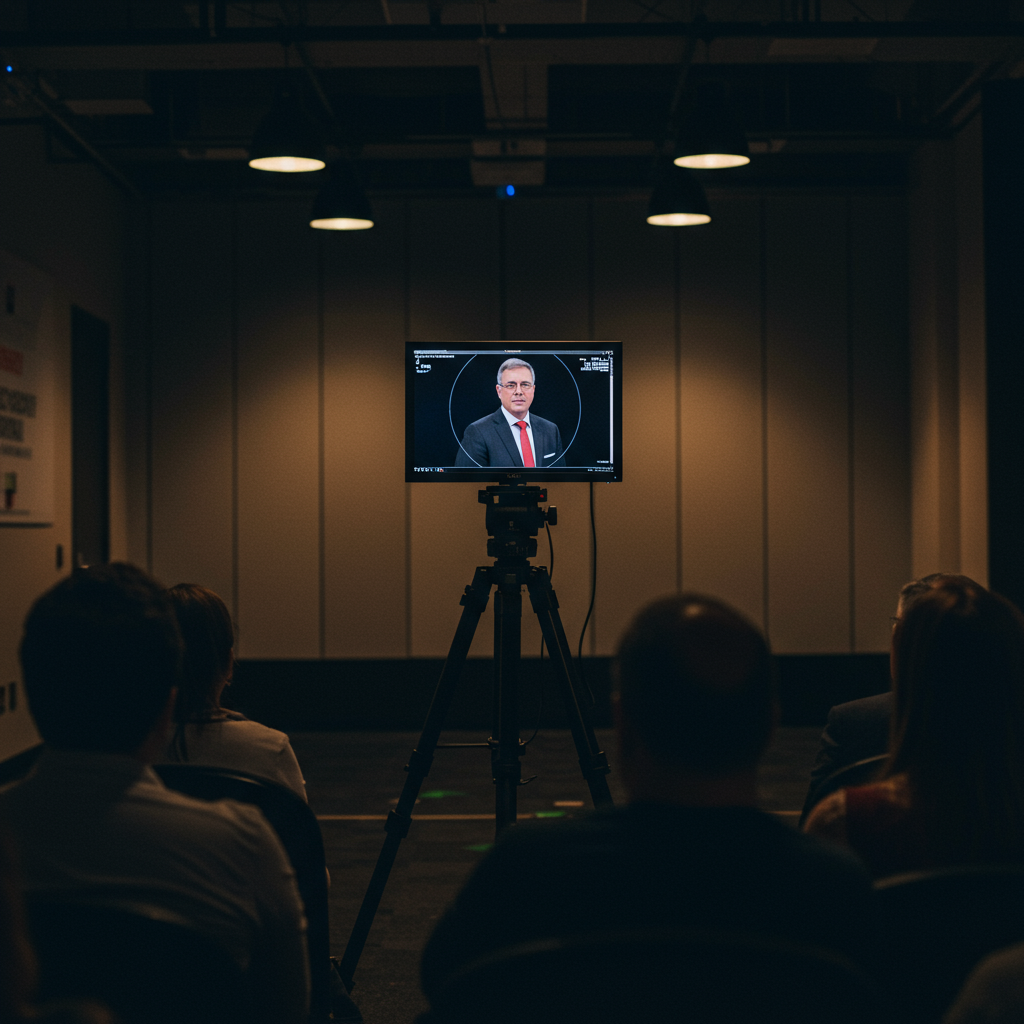
This image illustrates a typical floor plan for an executive town hall camera setup, showing the strategic arrangement of cameras, lighting, and screens to optimize visibility and engagement.
Vision, Values, and Proposal
Focus on Results and Measurement
Our vision is to elevate executive communication through audiovisual productions that are technically flawless and strategically resonant. We believe that technology should be an invisible enabler that enhances the message, not a distraction. We apply the Pareto principle (80/20), focusing on the production elements that generate 80% of the impact on the audience: audio clarity, the image quality of the keynote speaker, and transmission stability. Our values are based on reliability, precision, and collaboration. The technical standards we follow align with broadcast industry regulations, such as SMPTE recommendations for video quality and EBU R 128 standards for audio standardization, ensuring a consistent and professional experience across all platforms.
Strategic Value: Every technical decision is justified by its contribution to the event’s communication objectives. We don’t add complexity for the sake of it.
- Non-Negotiable Quality: We prioritize redundancy in critical systems (audio, video, network) to guarantee a 99.9% success rate.
- Audience Focus: We design the visual and auditory experience with everyone in mind, from the person sitting in the back row to the employee connecting from home.
- Decision Matrix: Equipment choices are based on a matrix that weighs reliability (40%), image/audio quality (30%), operational flexibility (20%), and cost (10%).
Services, Profiles, and Performance
Portfolio and Professional Profiles
We offer a comprehensive consulting service and execution for the production of executive town halls. Our portfolio covers everything from the design of the executive town hall camera setup to live operation and post-production. This requires a multidisciplinary team with clearly defined roles:
Producer/Event Director: The project leader. They are the client interface, define the creative vision, and are ultimately responsible for the event’s success.
Technical Director (TD): Operates the video mixer, executing camera changes, inserting graphics, and managing video sources in real time.
Camera Operators: Professionals who operate the manned cameras, ensuring stable, smooth, and compositionally correct framing. In modern productions, robotic camera operators (PTZ) are also included.
- Audio Engineer (A1): Responsible for the entire audio chain, from speaker microphones to the final mix for the PA, streaming, and recording.
- Video Engineer (V1): Ensures all cameras match in color, exposure, and contrast for a consistent and professional visual appearance.
- Streaming/Encoding Engineer: Manages video and audio encoding and monitors the health of the stream to the destination platforms (CDN).
Operational Process
- Phase 1: Discovery and Planning (Weeks -4 to -2): Meetings with the client to understand the objectives.
- Phase 1: Site Survey
- . KPI: Technical and production plan approved with 100% alignment with client requirements.
- Phase 2: Pre-production and Design (Week -2): Creation of floor plans, camera angles, lighting design, and audio plan. KPI: All diagrams and the run of show finalized 7 days before the event.
- Phase 3: Setup and Rehearsals (Days -2 to -1): Installation of all technical equipment at the location. Complete testing and rehearsal with the speakers. KPI: 100% success rate in all critical system tests. Rehearsal deviation from the run of show < 10%.
- Phase 4: Event Execution (Day 0): Live production of the town hall. KPI: 99.9% uptime of the broadcast. Event NPS > +40.Phase 5: Post-production and Teardown (Days +1 to +3): Editing of the recording, file delivery, and equipment dismantling. KPI: Delivery of the final recording in less than 48 hours. Zero incidents during dismantling.
Tables and examples
A remote audience that feels included and engaged, validated by post-event surveys.Ensure maximum clarity of the CEO’s message.Audio quality (intelligibility) > 4/5; Key message retention > 90% in post-event survey.Use of redundant lavalier microphones; medium close-up framing for the CEO; three-point lighting.The strategic message is received and understood unambiguously by the entire organization.Project a modern and professional brand image.Net Promoter Score (NPS) of the event > +50; Positive mentions on internal channels.Brand-aligned graphic and background design; smooth and professional video transitions.Reinforcing the company’s perception as an innovative and well-managed leader.Controlling production costs.Budget deviation < 5%; optimized cost per attendee (in-person + remote).Detailed resource planning; use of PTZ cameras to reduce staffing; negotiation with suppliers.Execution of the event within the approved budget, maximizing ROI.
| Objective | Key Performance Indicators (KPIs) | Actions | Expected result |
|---|---|---|---|
| Increase remote audience engagement | Live Q&A participation rate > 20%; Video completion rate > 85% | Implement a moderated Q&A system; Use multiple camera angles to maintain visual interest. |

Representation, Campaigns and/or Production
Professional Development and Management
Producing an executive town hall is a complex logistical undertaking that goes far beyond simply setting up cameras. It involves rigorous project management, from coordinating suppliers to obtaining permits, if necessary. The execution schedule is the backbone of the entire process. A reverse timeline is established from the event date, assigning deadlines for each deliverable: location confirmation, securing technical staff, equipment rental, completion of graphics and video content, etc. Supplier management (catering, furniture, dedicated internet connectivity) is centralized through the producer to ensure seamless communication and avoid conflicts of responsibility or resources at the location.
-
- Critical Documentation Checklist:
- Signed Location Agreement.
- Liability and Equipment Insurance Policies.
- Occupational Risk Prevention Plan.
- List of Accredited Personnel.
- Detailed Technical Rider, confirmed with the location.
- Stock and Equipment Management:
- Confirmation of availability of key equipment (cameras, lenses, mixer) 3 weeks in advance.
- Contingency plan with a secondary supplier for critical equipment.
- Review and testing of all equipment in the warehouse 48 hours before setup.
- Critical Documentation Checklist:
Contingency Plans:
Main Projector Failure: Identical backup projector, tested and ready for changeover in less than 5 minutes.
CEO Microphone Failure: Backup handheld microphone accessible to the audio technician, or switch to the secondary lavalier microphone.
Main Internet Connection Loss: Backup line (fiber, 5G bonding) with automatic failover configured.
Speaker Absence: Pre-recorded video of the speaker ready to be broadcast.

Content and/or Media That Convert
Messages, Formats, and Conversions: Optimizing the Executive Town Hall Camera Setup
The content of a town hall is not just what is said, but how it is presented. The executive town hall camera setup is the tool for shaping the visual narrative. A powerful opening “hook” can be a dynamic opening sequence with impactful music and graphics, captured by a camera on a slider to create movement. Calls to action (CTAs), such as inviting employees to a new portal or to participate in an initiative, should be visually reinforced. For example, when the CEO mentions the CTA, the CTO can display a full-screen graphic with the URL or QR code, ensuring the main camera keeps the CEO in one-third of the screen to maintain a human connection. We conduct A/B testing on recurring events, for example, comparing the effectiveness of a Q&A with pre-selected questions versus a completely open and moderated live Q&A, measuring the impact on audience engagement and sentiment.
Ideation Phase (Responsible: Producer, Client): Define the 3-5 key messages the audience should remember. Translate these messages into visual segments (presentation, demo, interview, Q&A).
- Script and Run-of-Show Creation (Responsible: Producer): Develop a minute-by-minute run-of-show that details each segment, speaker, visual aid (slides, video), and corresponding technical instructions (camera, music, lighting).
- Graphic Asset Production (Responsible: Graphic Designer): Create all visual elements: opening, closing, lower thirds (names and titles), backgrounds, and graphics for the presentations, all under the same corporate design guidelines.
- Content Rehearsal (Responsible: Producer, Speakers): Conduct a full rehearsal to adjust timings, transitions, and ensure that the speakers feel comfortable with the flow and technology (teleprompter, reference monitors).
- Execution and Live Adaptation (Responsible: Technical Director): During the event, the director follows the rundown but must be prepared to improvise if a segment is lengthened or shortened, constantly communicating with the camera operators to capture spontaneous moments.Post-Event Analysis (Responsible: Producer): Analyze viewing metrics (audience peaks, drop-off points) to identify which parts of the content generated the most interest and which can be improved in future events.

Integrating graphic content, such as lower thirds, directly into the video signal aligns with the business objective of reinforcing the brand and professionalism of the event.
Training and Employability
Demand-Driven Catalogue
To ensure excellence and consistency in our productions, we offer internal training programs and training for corporate clients who wish to enhance the capabilities of their teams.
These modules are designed to cover the most in-demand skills in live event production.
-
- Module 1: Fundamentals of Hybrid Event Production. Principles of video, audio, and lighting applied to corporate environments.
- Module 2: Designing an Executive Town Hall Camera Setup. How to create camera shots, select lenses, and understand composition for executive communication.
- Module 3: Operating Video Mixers for Live Broadcasts. Hands-on training with platforms such as Blackmagic ATEM, vMix, and TriCaster.
- Module 4: Audio Engineering for Corporate Events. Microphones, mixing for the room and streaming, and troubleshooting common problems such as feedback.
- Module 5: Streaming and Encoding for Corporate Platforms. Configuration of Encoders and transmission to platforms such as Microsoft Teams, Zoom, or internal video platforms.
Module 6: Live Event Management and Production. Leading technical teams, creating rundowns, and effective communication during the show (use of intercom systems).
Methodology
Our training methodology is eminently practical (“learning by doing”). Assessments are carried out using rubrics that measure specific competencies, such as a student’s ability to perform a correct white balance on three cameras in less than 5 minutes, or to troubleshoot an audio problem in a simulated scenario. We encourage hands-on experience at real events (in assistant roles) for more advanced students. The expected result is the creation of professionals capable of independently producing high-quality content, improving employability in the sector and providing companies with a pool of qualified talent for their internal communication needs.
Operational Processes and Quality Standards
From Request to Execution
Our workflow is designed to be transparent, predictable, and quality-oriented. Each stage has clear deliverables and defined acceptance criteria, minimizing ambiguity and the risk of errors.
- Diagnosis (Initial Phase): Receiving the client’s request. A kick-off meeting is held to define the “what” (objectives, message, audience) and the “who” (speakers, stakeholders). The deliverable is a “Creative and Technical Brief” that must be approved by the client.
- Proposal and Design (Planning Phase): With the brief approved, a detailed proposal is developed that includes the creative concept, the technical breakdown of the executive town hall camera setup, the detailed budget, and the timeline. The acceptance criteria are the signing of the contract and approval of the budget.
- Pre-production (Preparation Phase): Logistical management begins. Staff and equipment are booked, graphics are created, the rundown is prepared, and coordination with the location is established. Deliverables: Final floor plan, camera plan, rundown v1.0, confirmed equipment list.
- Execution (Production Phase): Includes setup, rehearsals, and the live event. Acceptance of this phase is based on the successful execution of the event, meeting the technical (uptime, image/audio quality) and production (adherence to the schedule) KPIs.
- Closure and Evaluation (Post-Event Phase): Teardown, editing of the recording, delivery of the final files, and a post-mortem meeting with the client to review the results against the initial objectives. Deliverable: Edited final recording, metrics report, and KPI analysis.
-
Quality Control
Quality control is an ongoing process, not a one-time event. Specific roles are assigned for oversight, and clear Service Level Agreements (SLAs) are established.
-
- QC Roles: The Producer is ultimately responsible for quality. The Technical Director oversees the video signal quality. The Audio Engineer (A1) constantly monitors audio levels and clarity.Scaling: A clear chain of command is established. A camera operator reports a problem to the Director, who in turn reports it to the Producer if they cannot resolve it.
Acceptance Indicators:
Video: No dead pixels, consistent color between cameras (verified with a vectorscope), minimum native resolution of 1920x1080p.
Audio: Audio levels for the stream average -18 LUFS, with no clipping or hum/buzz. Signal-to-noise ratio > 60 dB.
- QC Roles: The Producer is ultimately responsible for quality. The Technical Director oversees the video signal quality. The Audio Engineer (A1) constantly monitors audio levels and clarity.Scaling: A clear chain of command is established. A camera operator reports a problem to the Director, who in turn reports it to the Producer if they cannot resolve it.
Streaming: Constant bit rate, zero dropped frames, controlled latency.
-
SLAs: We guarantee 99.9% uptime for live streaming. The response time to a critical technical failure (e.g., loss of main audio) is less than 30 seconds to switch to the backup system.
| Phase | Key Deliverables | Quality Control Indicators | Risks and Mitigation |
|---|---|---|---|
| Diagnosis | Creative and Technical Briefing | Briefing approved and signed by the client. 100% complete. | Risk: Ambiguous objectives. Mitigation: Use a structured briefing template with specific questions. |
| Pre-production | Camera Diagram, Rundown | All technical shots reviewed by the Technical Director. Rundown validated with speakers. | Risk: Incorrect information in the rundown. Mitigation: Multiple rounds of review and a 24-hour “freeze” of the rundown before the event. |
| Execution | Live signal (PGM), ISO recording | Real-time monitoring of audio (LUFS), video (waveform), and stream (bitrate). | Risk: Equipment failure. Mitigation: 1+1 redundancy in all critical components of the signal chain. |
| Closure | Edited recording, KPI report | QC of the final recording (no editing errors, synchronized audio). Metrics report validated. | Risk: Delivery delay. Mitigation: Allocate post-production resources before the event ends. |
Application Cases and Scenarios
Case 1: Global Hybrid Town Hall for a Technology Company (500 in-person, 10,000 online)
Challenge: Communicate quarterly results and a new strategic vision to a global audience across multiple time zones. The event originated at the Silicon Valley headquarters, with live participation from two executives in the London and Singapore offices. A seamless and participatory experience was required for everyone.
Solution: A 5-camera executive town hall camera setup was designed at the main headquarters:
- Camera 1 (Manned): Medium shot of the CEO on stage. 24-70mm f/2.8 lens for flexibility.Camera 2 (Manned): A wider security shot and to capture other speakers on stage.
Camera 3 (Robotic PTZ): Positioned at the back of the auditorium for wide shots of the stage and audience.
Camera 4 (Robotic PTZ): Positioned to the side for audience reaction shots and questions.
Camera 5 (Wide): A fixed camera with a wide-angle lens for a constant security shot.
Remote executives were integrated via a professional video contribution solution (such as LiveU or Haivision) to ensure a high-quality, low-latency signal. A virtual event platform was used that integrated the video player with Q&A modules, surveys, and chat. Recordings were made of both the final program (PGM) and each camera individually (ISO recording) for greater flexibility in post-production.
Results and KPIs:
- Execution timeframe: 4 weeks from the initial briefing to the day of the event.
- Reach: 10,230 employees connected online, with an average viewing time of 91%.
- KPIs: Stream uptime: 100%. Event NPS: +62. More than 800 questions were received through the platform. Budget variance: 2.5% below budget.
- ROI: The client estimated savings of over €500,000 in travel and time compared to an in-person meeting tour. The on-demand video of the event was viewed over 5,000 times in the following week.
Case 2: Crisis Communication in a Financial Institution (50 in-person, 2,000 online)
Challenge: Following a significant organizational restructuring, the Management Committee needed to address all employees to explain the situation, alleviate uncertainty, and outline the path forward. The tone had to be sober, empathetic, and transparent. The event was held in a boardroom, not an auditorium.
Solution: The focus was on intimacy and authenticity. A three-camera setup was chosen:
- Camera 1: A medium close-up of the Main Spokesperson, using a fixed focal length lens (50mm f/1.8) to create a shallow depth of field that isolated the speaker from the background, generating a more cinematic and personal look.
- Camera 2: A two-shot shot showing the Spokesperson and another committee member, for conversations and to convey a sense of unity in leadership.
- Camera 3 (Slider): A camera on a very slow motorized slider that provided subtle movement to avoid visual monotony without being distracting.
Lighting was key: soft lighting was used to avoid harsh shadows and create an atmosphere of trust. El audio se capturó con micrófonos de solapa de alta calidad, con especial atención a la eliminación de cualquier ruido ambiental. No se utilizaron gráficos llamativos ni música. La transmisión fue interna y segura.
Resultados y KPIs:
- Plazo de ejecución: 1 semana (respuesta rápida).
- KPIs: El objetivo principal no era el engagement, sino la claridad y la recepción del mensaje. Una encuesta anónima post-evento mostró que el 85 % de los empleados se sentía “más informado” y “comprendía mejor la situación” tras el town hall. El nivel de ruido en los canales de comunicación internos (medido en menciones negativas) disminuyó un 60 % en las 48 horas posteriores.
- ADR (Average Duration Rate): 95 %, indicando que la audiencia permaneció conectada durante casi toda la comunicación.
Caso 3: Lanzamiento Interno de Producto para una Empresa de Retail (Formato dinámico y multicentro)
Desafío: Presentar una nueva línea de productos a los equipos de ventas de toda Europa de una manera enérgica y memorable. El evento se realizaba en un espacio diáfano tipo “estudio de TV”, con demostraciones de producto en vivo y conexiones con varias tiendas insignia.
Solución: Se diseñó un executive town hall camera setup muy dinámico para capturar la energía del evento:
- Cámara 1 (Steadicam): Para seguir a los presentadores por el plató, moverse alrededor de las mesas de demostración y crear planos de seguimiento fluidos.
- Cámara 2 (Jib/Grúa): Para planos aéreos espectaculares que mostraran toda la escenografía y para movimientos verticales que añadieran dinamismo.
- Cámara 3 y 4 (Trípode): Dos cámaras en posiciones fijas con lentes largas para planos cerrados de los productos y de las reacciones de los presentadores.
- Cámaras PTZ: Tres cámaras robóticas controladas por un único operador para capturar al público del estudio y las conexiones remotas con las tiendas.
La producción incluyó un uso intensivo de vídeo pregrabado, gráficos animados y un sound design cuidado para crear una experiencia televisiva. Las conexiones con las tiendas se hicieron a través de sistemas de videoconferencia profesional, mostrando en directo a los equipos de las tiendas reaccionando al nuevo producto.
Resultados y KPIs:
- KPIs de Engagement: Se lanzó una encuesta en vivo al final pidiendo a los equipos que votaran por su producto favorito. La tasa de participación fue del 98 %. Se generó un concurso interno a través de una app, con más de 1.500 envíos en la primera hora.
- Ahorro energético y de CO₂: La empresa calculó un ahorro del 90 % en la huella de carbono en comparación con su anterior formato de evento de lanzamiento, que requería el desplazamiento de 300 directores de tienda a una única ubicación.
- NPS del Evento: +75, el más alto registrado para un evento interno de la compañía.
Guías paso a paso y plantillas
Guía 1: Checklist Esencial para la Visita Técnica (Site Survey)
Una visita técnica exitosa es la base de una producción sin problemas. Utilice esta lista para no dejar nada al azar.
- Acceso y Logística:
- Verificar la dirección exacta y el punto de contacto en la localización.
- Medir puertas, pasillos y ascensores para asegurar el paso del equipo.
- Identificar la ubicación del muelle de carga y las rutas de acceso.
- Confirmar horarios de montaje y desmontaje permitidos.
- Espacio del Evento (Auditorio/Sala):
- Medir las dimensiones exactas de la sala: largo, ancho y alto.
- Evaluar las líneas de visión desde diferentes puntos de la audiencia hacia el escenario.
- Identificar posibles obstrucciones (columnas, lámparas bajas).
- Fotografiar y grabar vídeo de todo el espacio.
- Electricidad:
- Localizar todos los cuadros eléctricos y tomas de corriente.
- Verificar el amperaje disponible y el tipo de conectores (ej. CEE 32A trifásico).
- Preguntar si hay un generador de respaldo y cuál es su tiempo de conmutación.
- Planificar la distribución de energía para vídeo, audio, iluminación e informática por separado.
- Iluminación:
- Evaluar la luz ambiente existente (ventanas, luces de la sala).
- Verificar si las luces de la sala son regulables (dimmable) y si generan “flicker” en cámara.
- Identificar puntos de anclaje (rigging) para la iluminación de producción.
- Audio:
- Evaluar la acústica de la sala (reverberación, eco). Aplaudir fuerte y escuchar el decaimiento del sonido.
- Comprobar si existe un sistema de sonido (PA) instalado y solicitar sus especificaciones técnicas.
- Identificar posibles fuentes de ruido (aire acondicionado, proyectores, tráfico exterior).
- Red y Conectividad:
- Realizar un test de velocidad de la conexión a internet por cable (no Wi-Fi). Medir subida, bajada, ping y jitter.
- Solicitar una conexión dedicada y por cable para el streaming, con IP fija si es posible.
- Verificar la cobertura de telefonía móvil (4G/5G) como opción de backup.
- Checklist Final:
- [ ] ¿He hablado con el responsable técnico de la localización?
- [ ] ¿Tengo todos los planos y medidas necesarios?
- [ ] ¿He identificado claramente la posición para la sala de control (FOH)?
- [ ] ¿He documentado todo con fotos y notas?
Guía 2: Cómo Crear un Diagrama de Cámaras (Camera Plot) Básico
- Paso 1: Dibujar el Plano de Planta. Comience con un esquema simple de la sala, incluyendo el escenario, la disposición de los asientos de la audiencia y las entradas/salidas principales.
- Paso 2: Ubicar las Cámaras. Coloque símbolos para cada cámara. Etiquételas (CAM 1, CAM 2, etc.). La posición es clave: la cámara principal debe estar centrada frente al escenario. Las cámaras laterales deben tener un ángulo de aproximadamente 45 grados respecto al ponente.
- Paso 3: Definir el Tipo de Plano. Para cada cámara, anote el tipo de plano que proporcionará. Por ejemplo:
- CAM 1 (Centro): Plano Medio (MS) del Ponente.
- CAM 2 (Derecha): Plano Conjunto (2-shot) de los ponentes.
- CAM 3 (Izquierda): Plano de Detalle (CU) de la demo de producto.
- CAM 4 (Trasera): Plano General (WS) del escenario y audiencia.
- Paso 4: Trazar el Cableado. Dibuje líneas desde cada cámara hasta la posición de la sala de control (donde estará el mezclador de vídeo). Esto ayuda a calcular las longitudes de cable necesarias (SDI, fibra).
- Paso 5: Añadir Otros Elementos. Incluya en el diagrama la posición de las pantallas de IMAG, los monitores de referencia para los ponentes, la mesa de sonido y el control de iluminación.
Guía 3: Plantilla para la Escaleta del Evento (Run of Show)
Esta tabla es la partitura del evento. Cada fila es una acción o un momento clave.
| Hora | Duración | Segmento | Ponente | Soporte Visual | Indicaciones de Cámara y Vídeo | Indicaciones de Audio |
|---|---|---|---|---|---|---|
| 09:55:00 | 5:00 | Pre-show | N/A | Bucle de vídeo con logo y música | Mostrar PGM del bucle de vídeo. Cámaras en standby. | Música de fondo a -20 dB. |
| 10:00:00 | 1:30 | Vídeo de Apertura | N/A | Vídeo “Q3 Highlights” | Reproducir VTR 1 a pantalla completa. | Audio del vídeo a -6 dB. |
| 10:01:30 | 3:00 | Bienvenida | CEO | Tercio inferior “CEO” | Abrir con CAM 2 (Plano General). Transición a CAM 1 (Plano Medio). Insertar tercio inferior. | Abrir micrófono del CEO. Bajar música. |
| 10:04:30 | 15:00 | Resultados Financieros | CFO | Diapositivas 1-12 | CAM 1 en CFO. Usar PiP (Picture-in-Picture) para mostrar las diapositivas junto al ponente. | Abrir micrófono del CFO. Cerrar el del CEO. |
| 10:19:30 | 10:00 | Q&A en Vivo | CEO & CFO | Gráfico de Q&A | CAM 2 (Plano Conjunto). CAM 4 para preguntas de la audiencia. | Micrófonos de mano para la audiencia. |
| 10:29:30 | 0:30 | Cierre | CEO | N/A | CAM 1 (Plano Medio Cerrado). | Subir música de cierre suavemente. |
Recursos internos y externos (sin enlaces)
Recursos internos
- Plantilla de Presupuesto para Town Halls.
- Catálogo de Equipamiento Audiovisual Interno.
- Guía de Estilo de Marca para Producciones de Vídeo.
- Base de Datos de Localizaciones Aprobadas.
- Checklist de Post-producción y Entrega de Archivos.
Recursos externos de referencia
- Normativa EBU R 128 sobre Loudness.
- Recomendaciones SMPTE ST 2084 (PQ) para producción HDR.
- Guías de la Audio Engineering Society (AES) sobre microfonía y acústica.
- Libro Blanco de la IAB sobre métricas de vídeo digital.
- Manuales de buenas prácticas de plataformas de streaming como Vimeo Livestream o Microsoft Teams Live Events.
Preguntas frecuentes
¿Cuántas cámaras necesito para mi town hall?
Depende de la complejidad y los objetivos. Como mínimo, se recomiendan dos cámaras: una para un plano medio del ponente y otra para un plano general de seguridad. Una configuración ideal para un evento estándar suele ser de tres cámaras para permitir variedad de planos (general, medio, conjunto) sin que el ponente tenga que moverse.
¿Qué es IMAG y por qué es importante?
IMAG son las siglas de “Image Magnification”. Se refiere a la práctica de proyectar la imagen en vivo de los ponentes en pantallas grandes dentro del mismo recinto del evento. Es crucial en salas grandes para que la audiencia de las últimas filas pueda ver las expresiones faciales y los detalles de la presentación, lo que aumenta drásticamente el engagement.
¿Es mejor usar cámaras tripuladas o robóticas (PTZ)?
Ambas tienen su lugar. Las cámaras tripuladas ofrecen la máxima calidad de imagen y fluidez de movimiento, ideales para la cámara principal. Las cámaras robóticas (Pan-Tilt-Zoom) son excelentes para ubicaciones discretas, para planos de audiencia o como cámaras secundarias. Permiten reducir el número de operadores y son menos intrusivas. Una buena configuración a menudo combina ambas.
¿Qué ancho de banda de internet necesito para transmitir en alta calidad?
Como regla general, se necesita una velocidad de subida dedicada y constante que sea al menos el doble de la tasa de bits (bitrate) de tu stream. Para un stream de buena calidad a 1080p, que suele tener un bitrate de 5-6 Mbps, necesitarías una conexión de subida de al menos 10-12 Mbps estables. Es fundamental que sea una línea por cable, no Wi-Fi.
¿Cómo puedo mejorar el audio de mis town halls?
El audio es más importante que el vídeo. La mejor inversión es en buenos micrófonos. Utilice micrófonos de solapa (lavalier) para los ponentes principales para un audio claro y constante. Tenga siempre un micrófono de mano de respaldo. Realice una prueba de sonido completa antes del evento en la sala vacía y luego con algo de público para ajustar la ecualización y evitar el feedback.
Conclusión y llamada a la acción
La planificación y ejecución de un executive town hall camera setup es una disciplina que combina arte y ciencia. Como hemos visto, cada decisión técnica impacta directamente en la capacidad de la organización para comunicar su visión, alinear a sus equipos y fomentar una cultura de transparencia. Un enfoque metódico, basado en procesos de calidad y respaldado por KPIs claros, transforma lo que podría ser un riesgo de comunicación en una poderosa herramienta estratégica. Desde la elección de los ángulos de cámara hasta la gestión impecable del audio y la transmisión, la excelencia en la producción audiovisual no solo garantiza que el mensaje se entregue, sino que se reciba con el impacto deseado.
Le invitamos a utilizar las guías, checklists y plantillas de este artículo como punto de partida para su próximo evento ejecutivo. Evalúe su proceso actual, identifique áreas de mejora y no subestime el valor de una preproducción detallada. Invertir en una configuración de cámaras profesional es invertir en la claridad, la credibilidad y el liderazgo de su organización. Póngase en contacto con nosotros para una consulta y descubra cómo podemos ayudarle a llevar su próximo town hall al siguiente nivel.
Glosario
- IMAG (Image Magnification)
- Técnica de proyectar imágenes de vídeo en vivo en pantallas grandes dentro del lugar del evento para mejorar la visibilidad de la audiencia.
- PTZ (Pan-Tilt-Zoom)
- Tipo de cámara robótica que puede ser controlada a distancia para realizar movimientos de panorámica (pan), inclinación (tilt) y zoom.
- TD (Technical Director)
- El director técnico, la persona que opera el mezclador de vídeo durante una producción en vivo, seleccionando qué fuente de cámara o gráfico se emite en cada momento.
- Run of Show (Escaleta)
- Documento detallado que secuencia todos los momentos de un evento, minuto a minuto, con indicaciones técnicas y de contenido.
- SDI (Serial Digital Interface)
- Estándar de cable y señal de vídeo profesional utilizado para transmitir vídeo sin comprimir y sin encriptar, comúnmente usado para conectar cámaras a mezcladores.
- LUFS (Loudness Units Full Scale)
- Unidad de medida estándar para la sonoridad del audio en la industria de la radiodifusión y el streaming, que ayuda a normalizar los niveles de volumen entre diferentes programas.
Internal links
- Click here👉 https://ca.esinev.education/diplomates/
- Click here👉 https://ca.esinev.education/masters/
External links
- Princeton University: https://www.princeton.edu
- Massachusetts Institute of Technology (MIT): https://www.mit.edu
- Harvard University: https://www.harvard.edu
- Stanford University: https://www.stanford.edu
- University of Pennsylvania: https://www.upenn.edu